Dapper vs Entity Framework: Choosing the Right ORM for .NET
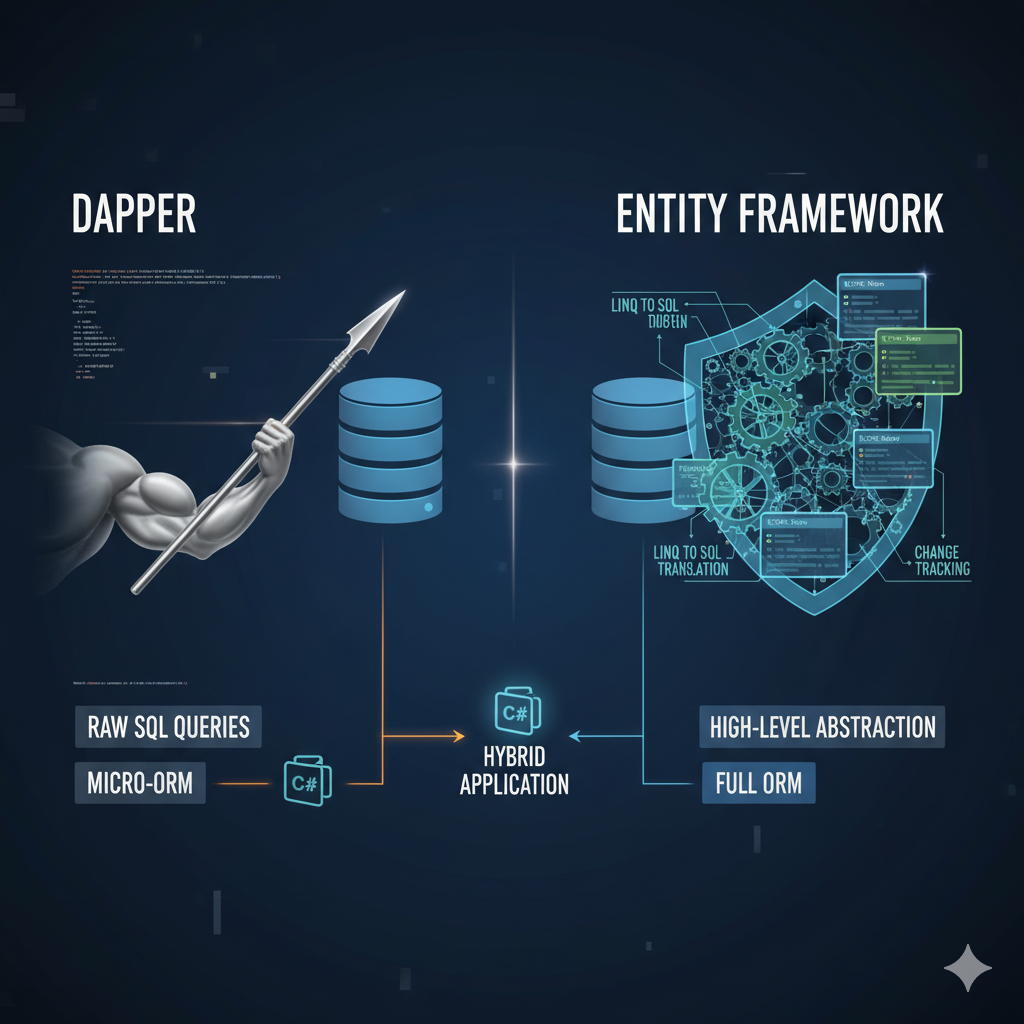
When building .NET applications that interact with databases, choosing the right Object-Relational Mapping (ORM) tool is crucial. Dapper and Entity Framework (EF) are two of the most popular options, each with distinct philosophies, strengths, and ideal use cases. This article provides a comprehensive comparison to help you make an informed decision.
What Are Dapper and Entity Framework?
Entity Framework (EF)
Entity Framework is a full-featured ORM developed by Microsoft. It provides a high-level abstraction over database operations, allowing developers to work with databases using .NET objects without writing SQL queries directly. EF supports LINQ queries, change tracking, migrations, and lazy loading.
// Entity Framework example
using (var context = new AppDbContext())
{
    var users = context.Users
        .Where(u => u.IsActive)
        .Include(u => u.Orders)
        .ToList();
}
Dapper
Dapper is a lightweight micro-ORM created by Stack Overflow. It focuses on simplicity and performance, acting as a thin layer over ADO.NET. Dapper requires you to write SQL queries manually but provides excellent performance and control.
// Dapper example
using (var connection = new SqlConnection(connectionString))
{
    var users = connection.Query(
        "SELECT * FROM Users WHERE IsActive = @IsActive",
        new { IsActive = true }
    ).ToList();
}
Key Differences
| Aspect | Entity Framework | Dapper |
|---|---|---|
| Type | Full ORM | Micro-ORM |
| SQL Generation | Automatic (LINQ to SQL) | Manual (write your own SQL) |
| Performance | Good (with optimization) | Excellent (near ADO.NET speed) |
| Learning Curve | Steeper (many features) | Gentle (simple API) |
| Change Tracking | Built-in | Not available |
| Migrations | Built-in | Not available |
| Lazy Loading | Supported | Not supported |
| Code First | Supported | Not applicable |
| Database First | Supported | Works naturally |
| Complex Queries | LINQ (can be limiting) | Full SQL control |
Similarities
- Object Mapping: Both map database results to .NET objects
- Parameterized Queries: Both support safe parameterized queries to prevent SQL injection
- Async Support: Both provide async/await methods for database operations
- Multi-Database Support: Both work with SQL Server, PostgreSQL, MySQL, SQLite, etc.
- Open Source: Both are open-source projects
- .NET Integration: Both integrate seamlessly with .NET applications
- Transaction Support: Both support database transactions
Performance Comparison
Benchmark Results
// Approximate performance (500 queries)
// ADO.NET (baseline):        100ms
// Dapper:                    105ms (5% overhead)
// Entity Framework Core:     150ms (50% overhead)
// Entity Framework 6:        180ms (80% overhead)
Why is Dapper faster?
- Minimal abstraction layer
- No change tracking overhead
- No query translation (direct SQL)
- Efficient object materialization
- Less memory allocation
Performance Optimization in EF
// EF can be optimized to approach Dapper's performance
using (var context = new AppDbContext())
{
    // Disable change tracking for read-only queries
    var users = context.Users
        .AsNoTracking()
        .Where(u => u.IsActive)
        .ToList();

    // Use compiled queries for repeated operations
    var compiledQuery = EF.CompileQuery(
        (AppDbContext ctx, int id) => ctx.Users.FirstOrDefault(u => u.Id == id)
    );
}
Practical Examples
Example 1: Simple CRUD Operations
Entity Framework
public class UserRepository
{
    private readonly AppDbContext _context;

    public UserRepository(AppDbContext context)
    {
        _context = context;
    }

    // Create
    public async Task CreateAsync(User user)
    {
        _context.Users.Add(user);
        await _context.SaveChangesAsync();
        return user;
    }

    // Read
    public async Task GetByIdAsync(int id)
    {
        return await _context.Users
            .AsNoTracking()
            .FirstOrDefaultAsync(u => u.Id == id);
    }

    // Update
    public async Task UpdateAsync(User user)
    {
        _context.Users.Update(user);
        await _context.SaveChangesAsync();
    }

    // Delete
    public async Task DeleteAsync(int id)
    {
        var user = await _context.Users.FindAsync(id);
        if (user != null)
        {
            _context.Users.Remove(user);
            await _context.SaveChangesAsync();
        }
    }

    // Query with filtering
    public async Task> GetActiveUsersAsync()
    {
        return await _context.Users
            .Where(u => u.IsActive)
            .OrderBy(u => u.Name)
            .ToListAsync();
    }
}
Dapper
public class UserRepository
{
    private readonly string _connectionString;

    public UserRepository(string connectionString)
    {
        _connectionString = connectionString;
    }

    // Create
    public async Task CreateAsync(User user)
    {
        using var connection = new SqlConnection(_connectionString);

        var sql = @"
            INSERT INTO Users (Name, Email, IsActive, CreatedAt)
            VALUES (@Name, @Email, @IsActive, @CreatedAt);
            SELECT CAST(SCOPE_IDENTITY() as int);";

        user.Id = await connection.QuerySingleAsync(sql, user);
        return user;
    }

    // Read
    public async Task GetByIdAsync(int id)
    {
        using var connection = new SqlConnection(_connectionString);

        var sql = "SELECT * FROM Users WHERE Id = @Id";
        return await connection.QuerySingleOrDefaultAsync(sql, new { Id = id });
    }

    // Update
    public async Task UpdateAsync(User user)
    {
        using var connection = new SqlConnection(_connectionString);

        var sql = @"
            UPDATE Users
            SET Name = @Name, Email = @Email, IsActive = @IsActive
            WHERE Id = @Id";

        await connection.ExecuteAsync(sql, user);
    }

    // Delete
    public async Task DeleteAsync(int id)
    {
        using var connection = new SqlConnection(_connectionString);

        var sql = "DELETE FROM Users WHERE Id = @Id";
        await connection.ExecuteAsync(sql, new { Id = id });
    }

    // Query with filtering
    public async Task> GetActiveUsersAsync()
    {
        using var connection = new SqlConnection(_connectionString);

        var sql = @"
            SELECT * FROM Users
            WHERE IsActive = 1
            ORDER BY Name";

        var users = await connection.QueryAsync(sql);
        return users.ToList();
    }
}
Example 2: Complex Queries with Joins
Entity Framework
public async Task> GetOrdersWithDetailsAsync()
{
    return await _context.Orders
        .Include(o => o.Customer)
        .Include(o => o.OrderItems)
            .ThenInclude(oi => oi.Product)
        .Where(o => o.OrderDate >= DateTime.Now.AddMonths(-1))
        .Select(o => new OrderDto
        {
            OrderId = o.Id,
            CustomerName = o.Customer.Name,
            OrderDate = o.OrderDate,
            TotalAmount = o.OrderItems.Sum(oi => oi.Quantity * oi.UnitPrice),
            ItemCount = o.OrderItems.Count
        })
        .ToListAsync();
}
Dapper
public async Task> GetOrdersWithDetailsAsync()
{
    using var connection = new SqlConnection(_connectionString);

    var sql = @"
        SELECT
            o.Id AS OrderId,
            c.Name AS CustomerName,
            o.OrderDate,
            SUM(oi.Quantity * oi.UnitPrice) AS TotalAmount,
            COUNT(oi.Id) AS ItemCount
        FROM Orders o
        INNER JOIN Customers c ON o.CustomerId = c.Id
        INNER JOIN OrderItems oi ON o.Id = oi.OrderId
        WHERE o.OrderDate >= DATEADD(MONTH, -1, GETDATE())
        GROUP BY o.Id, c.Name, o.OrderDate
        ORDER BY o.OrderDate DESC";

    var orders = await connection.QueryAsync(sql);
    return orders.ToList();
}
Example 3: Bulk Operations
Entity Framework
public async Task BulkInsertUsersAsync(List users)
{
    // Standard EF (slower for large datasets)
    _context.Users.AddRange(users);
    await _context.SaveChangesAsync();

    // Or use EF Extensions for better performance
    // await _context.BulkInsertAsync(users);
}
Dapper
public async Task BulkInsertUsersAsync(List users)
{
    using var connection = new SqlConnection(_connectionString);
    await connection.OpenAsync();

    using var transaction = connection.BeginTransaction();

    try
    {
        var sql = @"
            INSERT INTO Users (Name, Email, IsActive, CreatedAt)
            VALUES (@Name, @Email, @IsActive, @CreatedAt)";

        await connection.ExecuteAsync(sql, users, transaction);
        transaction.Commit();
    }
    catch
    {
        transaction.Rollback();
        throw;
    }
}
Example 4: Stored Procedures
Entity Framework
public async Task> GetUsersByStoredProcAsync(string searchTerm)
{
    return await _context.Users
        .FromSqlRaw("EXEC sp_SearchUsers @SearchTerm",
            new SqlParameter("@SearchTerm", searchTerm))
        .ToListAsync();
}
Dapper
public async Task> GetUsersByStoredProcAsync(string searchTerm)
{
    using var connection = new SqlConnection(_connectionString);

    return (await connection.QueryAsync(
        "sp_SearchUsers",
        new { SearchTerm = searchTerm },
        commandType: CommandType.StoredProcedure
    )).ToList();
}
When to Use Entity Framework
Choose Entity Framework when:
- Rapid Development: You need to build applications quickly with less boilerplate code
- Code-First Approach: You want to define your database schema using C# classes
- Migrations: You need automatic database schema versioning and migrations
- Change Tracking: You benefit from automatic change detection for updates
- Complex Relationships: Your domain has many relationships that EF can manage automatically
- LINQ Queries: You prefer writing queries in C# rather than SQL
- Team Familiarity: Your team is already experienced with EF
- Standard CRUD: Most of your operations are standard create, read, update, delete
- Lazy Loading: You want to load related data on-demand
- Less SQL Knowledge: Team members are more comfortable with C# than SQL
Ideal Use Cases for EF
- Line-of-business applications with standard CRUD operations
- Applications with complex domain models and relationships
- Projects requiring rapid prototyping
- Teams with limited SQL expertise
- Applications where developer productivity is prioritized over raw performance
When to Use Dapper
Choose Dapper when:
- Performance Critical: You need maximum performance and minimal overhead
- Complex Queries: You have complex SQL queries that are difficult to express in LINQ
- Database-First: You're working with an existing database schema
- SQL Control: You want full control over the SQL being executed
- Stored Procedures: You heavily use stored procedures
- Reporting: You're building reporting systems with complex aggregations
- Microservices: You need lightweight data access for microservices
- Legacy Systems: You're integrating with legacy databases
- SQL Expertise: Your team has strong SQL skills
- Read-Heavy: Your application is primarily read-heavy with few writes
Ideal Use Cases for Dapper
- High-performance APIs and microservices
- Reporting and analytics applications
- Systems with complex SQL queries and stored procedures
- Legacy database integration
- Applications where every millisecond counts
Can You Use Both?
Yes! Many applications benefit from using both EF and Dapper together:
public class HybridRepository
{
    private readonly AppDbContext _context;
    private readonly string _connectionString;

    public HybridRepository(AppDbContext context, IConfiguration config)
    {
        _context = context;
        _connectionString = config.GetConnectionString("DefaultConnection");
    }

    // Use EF for standard CRUD
    public async Task CreateUserAsync(User user)
    {
        _context.Users.Add(user);
        await _context.SaveChangesAsync();
        return user;
    }

    // Use Dapper for complex reporting queries
    public async Task> GetSalesReportAsync(DateTime startDate, DateTime endDate)
    {
        using var connection = new SqlConnection(_connectionString);

        var sql = @"
            SELECT
                p.Name AS ProductName,
                SUM(oi.Quantity) AS TotalQuantity,
                SUM(oi.Quantity * oi.UnitPrice) AS TotalRevenue,
                AVG(oi.UnitPrice) AS AveragePrice
            FROM OrderItems oi
            INNER JOIN Products p ON oi.ProductId = p.Id
            INNER JOIN Orders o ON oi.OrderId = o.Id
            WHERE o.OrderDate BETWEEN @StartDate AND @EndDate
            GROUP BY p.Name
            ORDER BY TotalRevenue DESC";

        return (await connection.QueryAsync(sql,
            new { StartDate = startDate, EndDate = endDate })).ToList();
    }
}
Hybrid Approach Benefits
- Use EF for domain logic and standard operations
- Use Dapper for performance-critical queries
- Use Dapper for complex reporting and analytics
- Use EF migrations for schema management
- Best of both worlds
Advantages and Disadvantages
Entity Framework
Advantages
- High-level abstraction reduces boilerplate code
- Built-in change tracking simplifies updates
- Automatic migrations for schema management
- LINQ provides type-safe queries
- Lazy loading for related entities
- Rich ecosystem and tooling
- Great for rapid development
Disadvantages
- Performance overhead compared to raw SQL
- Generated SQL can be suboptimal
- Steeper learning curve
- Can be overkill for simple scenarios
- Change tracking overhead for read-only operations
- LINQ limitations for complex queries
Dapper
Advantages
- Excellent performance (near ADO.NET speed)
- Full control over SQL queries
- Simple and lightweight
- Easy to learn
- Works great with stored procedures
- No hidden behavior or magic
- Minimal memory footprint
Disadvantages
- More boilerplate code
- No change tracking
- No migrations
- Manual SQL writing required
- No lazy loading
- SQL injection risk if not careful
- Requires SQL knowledge
Migration Path
From EF to Dapper
// Before (EF)
var users = await _context.Users
    .Where(u => u.IsActive)
    .ToListAsync();

// After (Dapper)
using var connection = new SqlConnection(_connectionString);
var users = await connection.QueryAsync(
    "SELECT * FROM Users WHERE IsActive = 1"
);
From Dapper to EF
// Before (Dapper)
using var connection = new SqlConnection(_connectionString);
var user = await connection.QuerySingleAsync(
    "SELECT * FROM Users WHERE Id = @Id",
    new { Id = userId }
);
user.Name = "Updated Name";
await connection.ExecuteAsync(
    "UPDATE Users SET Name = @Name WHERE Id = @Id",
    user
);

// After (EF)
var user = await _context.Users.FindAsync(userId);
user.Name = "Updated Name";
await _context.SaveChangesAsync();
Best Practices
Entity Framework Best Practices
- Use AsNoTracking() for read-only queries
- Avoid lazy loading in loops (N+1 problem)
- Use projection (Select) to fetch only needed data
- Implement repository pattern for testability
- Use compiled queries for repeated operations
- Batch operations when possible
- Monitor generated SQL queries
Dapper Best Practices
- Always use parameterized queries
- Dispose connections properly (use using statements)
- Use async methods for I/O operations
- Consider connection pooling
- Cache frequently used queries
- Use transactions for multiple operations
- Test SQL queries thoroughly
Real-World Performance Scenarios
Scenario 1: Simple Query (1000 records)
// EF Core with AsNoTracking: ~15ms
// Dapper: ~12ms
// Difference: Minimal (20% faster)
Scenario 2: Complex Join (10,000 records)
// EF Core: ~250ms
// Dapper: ~180ms
// Difference: Significant (28% faster)
Scenario 3: Bulk Insert (10,000 records)
// EF Core (standard): ~8000ms
// EF Core (BulkExtensions): ~500ms
// Dapper: ~450ms
// Difference: Dapper slightly faster with optimized EF
Conclusion
Both Dapper and Entity Framework are excellent tools with different strengths:
- Choose Entity Framework for rapid development, complex domain models, and when developer productivity is the priority
- Choose Dapper for maximum performance, complex SQL queries, and when you need full control over database operations
- Use both in the same application to leverage the strengths of each
The best choice depends on your specific requirements, team expertise, and project constraints. Many successful applications use both tools strategically to achieve the optimal balance of productivity and performance.
Further Reading and Resources
- Dapper GitHub Repository
- Entity Framework Core Documentation
- Learn Dapper
- Entity Framework Tutorial
- EF Core Bulk Extensions
Understanding the trade-offs between Dapper and Entity Framework empowers you to make informed architectural decisions that align with your application's specific needs and constraints.